The ISIC (International Student Identity Card) is recognized in 130+ countries. Applications require a passport-style photo that meets standard photo specifications. This guide covers the exact dimensions, background, pose rules, and how to get a compliant photo at home.
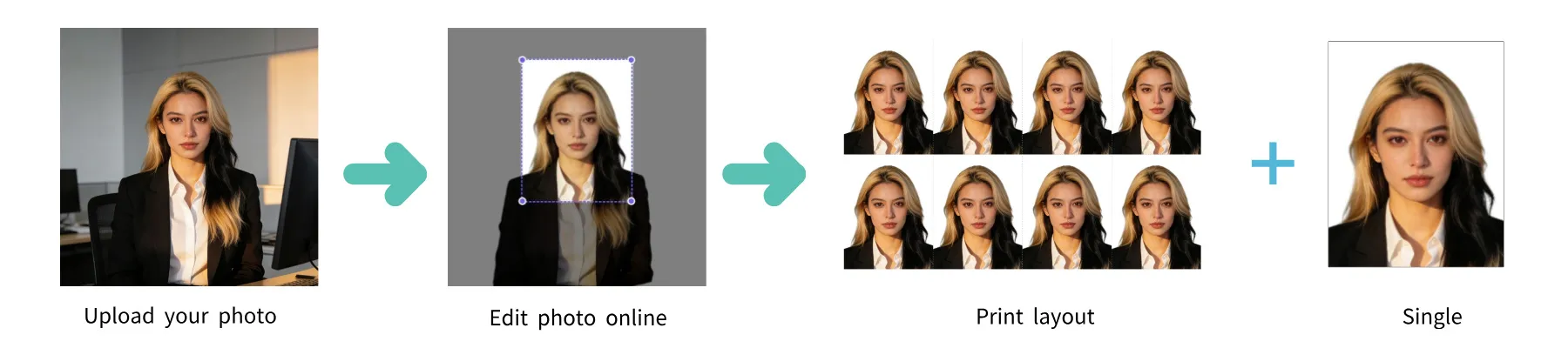
| Requirement | Specification |
|---|---|
| Card Issuer | ISIC Association (International Student Identity Card) |
| Card Type | Student ID Card |
| Photo Size | 35 × 45 mm |
| Resolution (DPI) | 600 |
| Pixel Dimensions (Print) | 827 × 1063 px at 600 DPI |
| Head Size | Face occupies 70–80% of the photo |
| Background Color | Plain white or light-colored background |
| Expression | Neutral with mouth closed |
| Glasses | Not recommended; no glare, no tinted lenses |
| Submission | Digital — uploaded with your online ISIC application |
| Color | Color only |
| Recency | Taken within the last 6 months |

The ISIC (International Student Identity Card) is recognized in 130+ countries. Applications require a passport-style photo that meets standard photo specifications. Below is a comprehensive guide to ensure your photo is accepted.
Not recommended; no glare, no tinted lenses. If you wear them, ensure there is no glare on the lenses and that your eyes are clearly visible.
You don't need a professional studio. Follow these simple steps to take a compliant ISIC Student Card photo at home using your smartphone.
Any modern smartphone camera (iPhone, Samsung Galaxy, Google Pixel, etc.) is more than capable of taking a high-quality photo. Make sure the lens is clean and the camera is set to the highest resolution.
Place your phone on a tripod or ask someone to take the photo for you. Selfies tend to have the wrong angle and distortion.
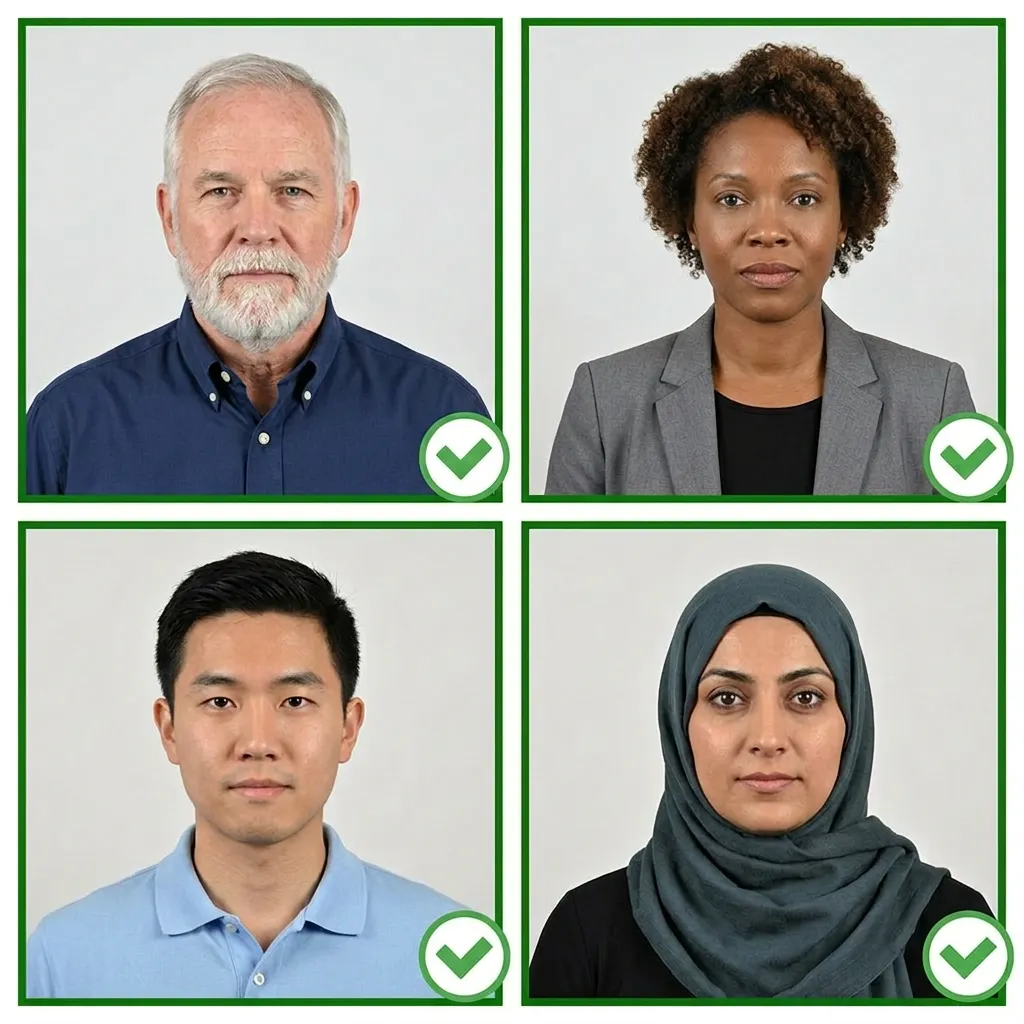
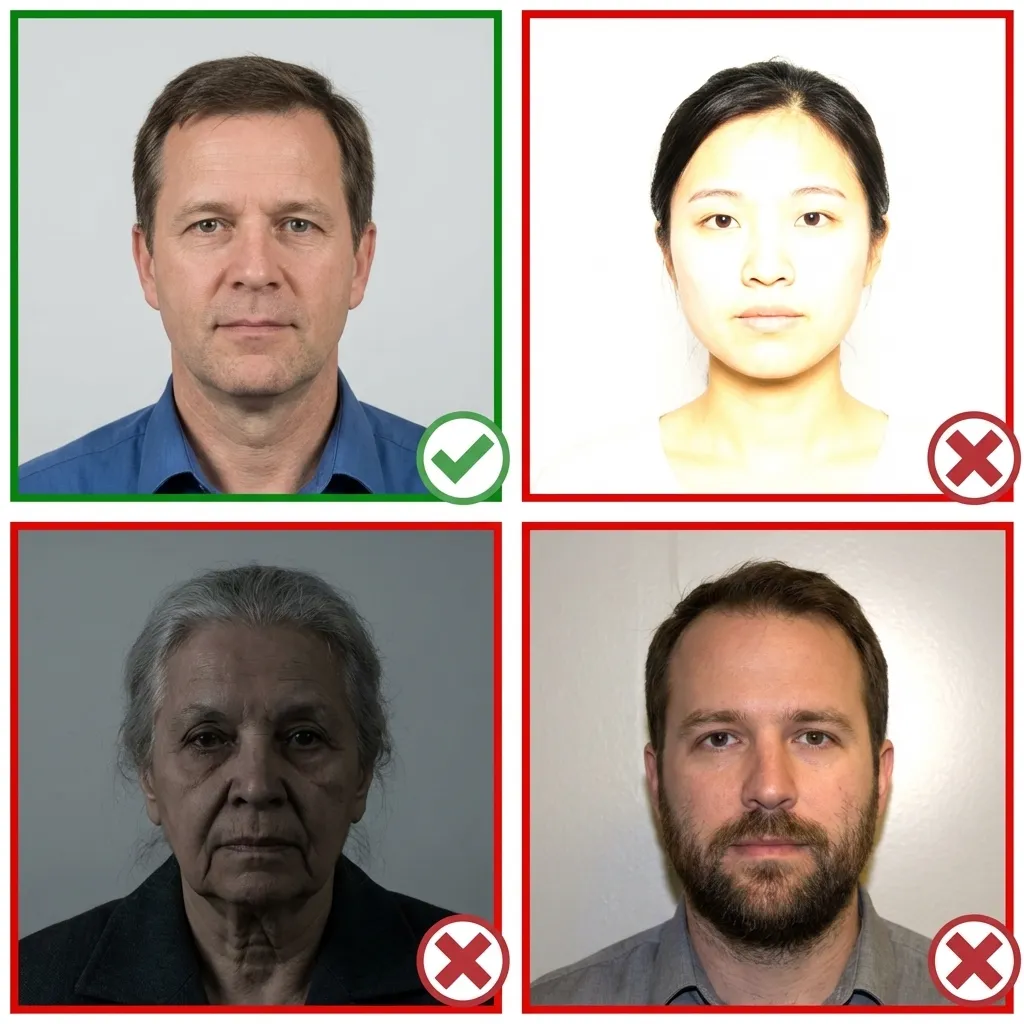
Stand facing a window with natural daylight for the best even lighting. Avoid direct sunlight, which creates harsh shadows. If using indoor lighting, use multiple light sources from different angles to eliminate shadows.
Wear your normal everyday clothing. Avoid uniforms and white tops that blend with the background. If you wear religious head coverings daily, you may keep them on as long as your full face is visible.
Make sure your hair does not cover your eyes or cast shadows on your face.
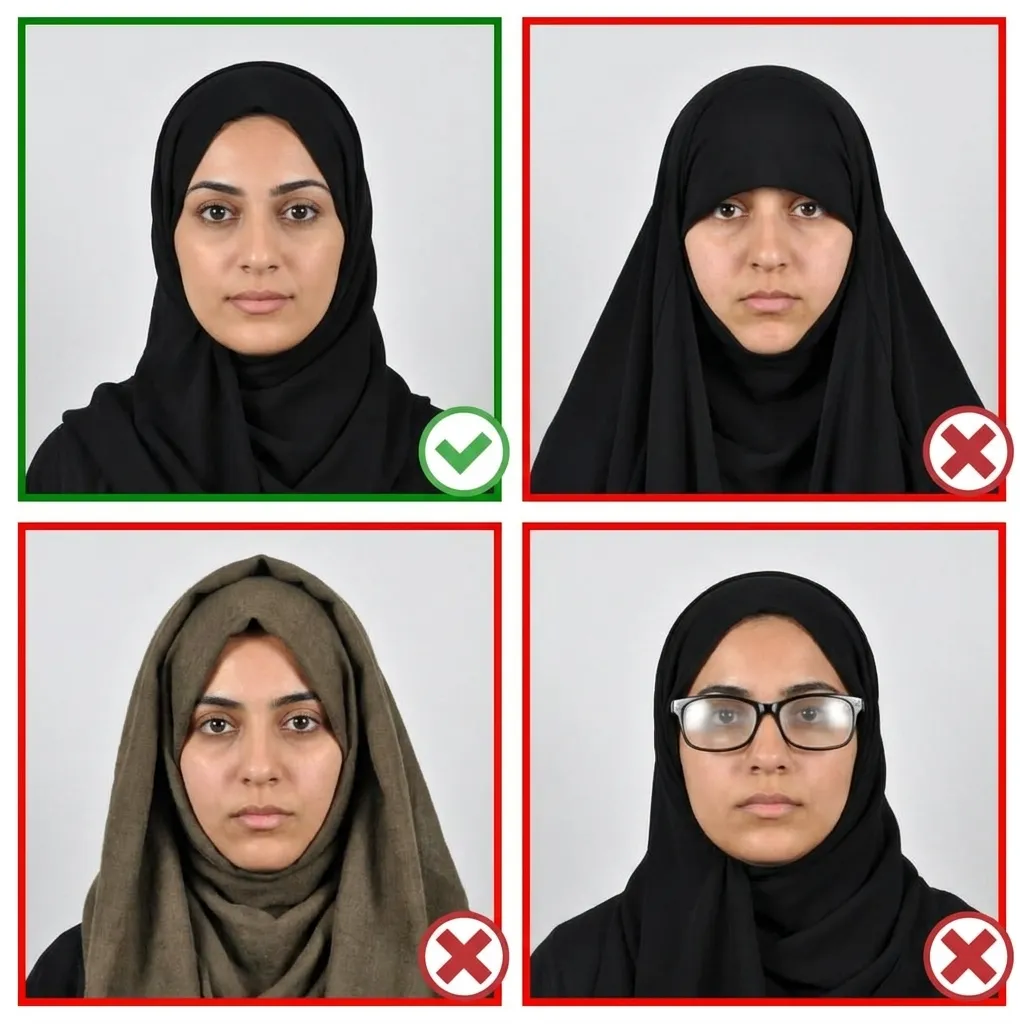
Stand about 4 feet (1.2 meters) in front of the camera with your head facing directly forward. Keep your shoulders relaxed and your head level — not tilted. Ensure your entire face from chin to forehead is visible.
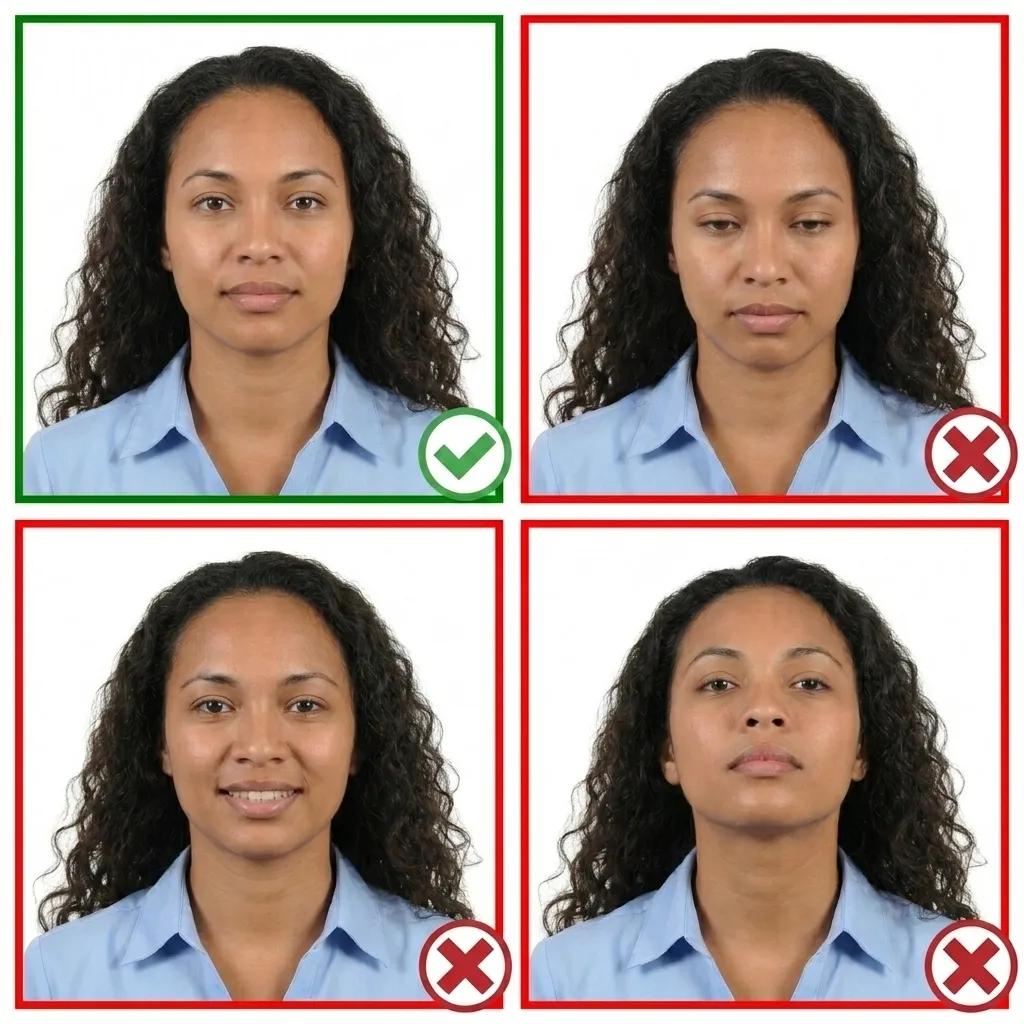
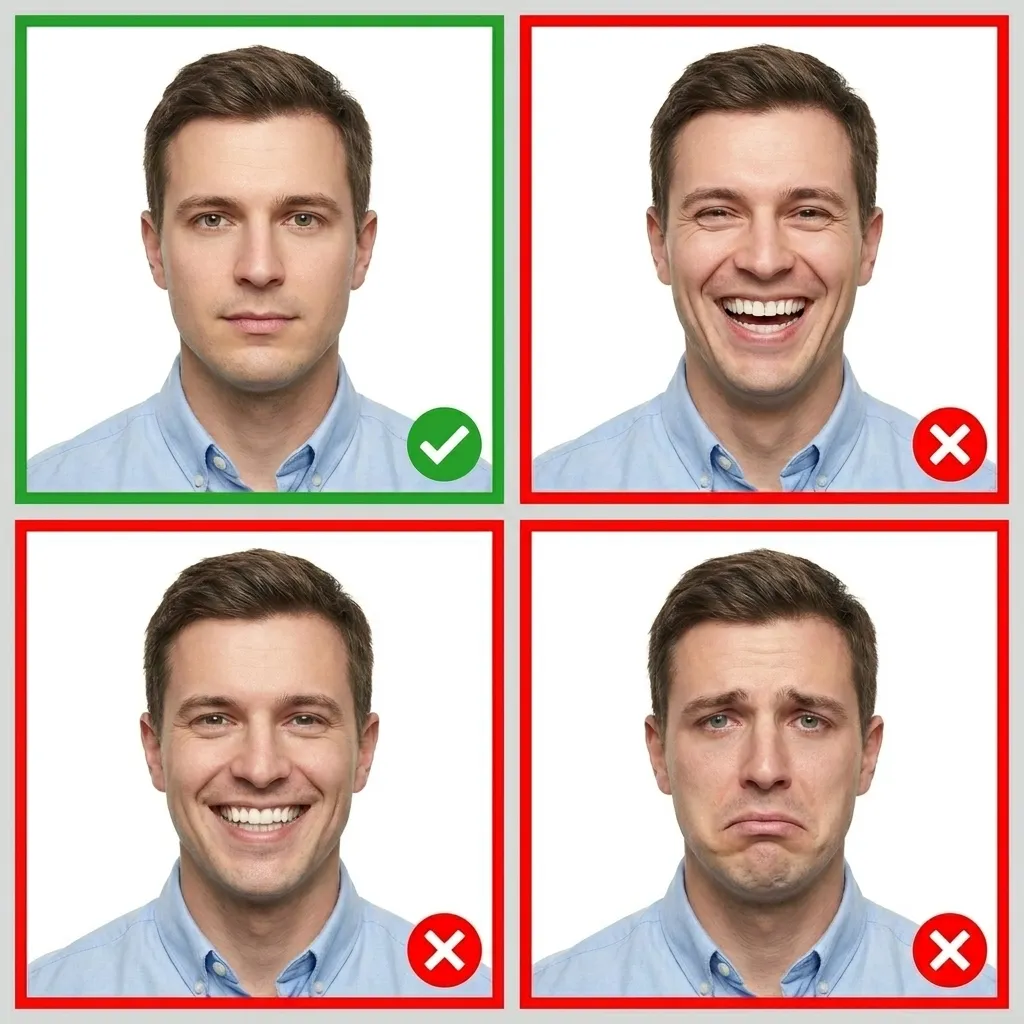
Keep your face relaxed: neutral with mouth closed. Both eyes open and visible.
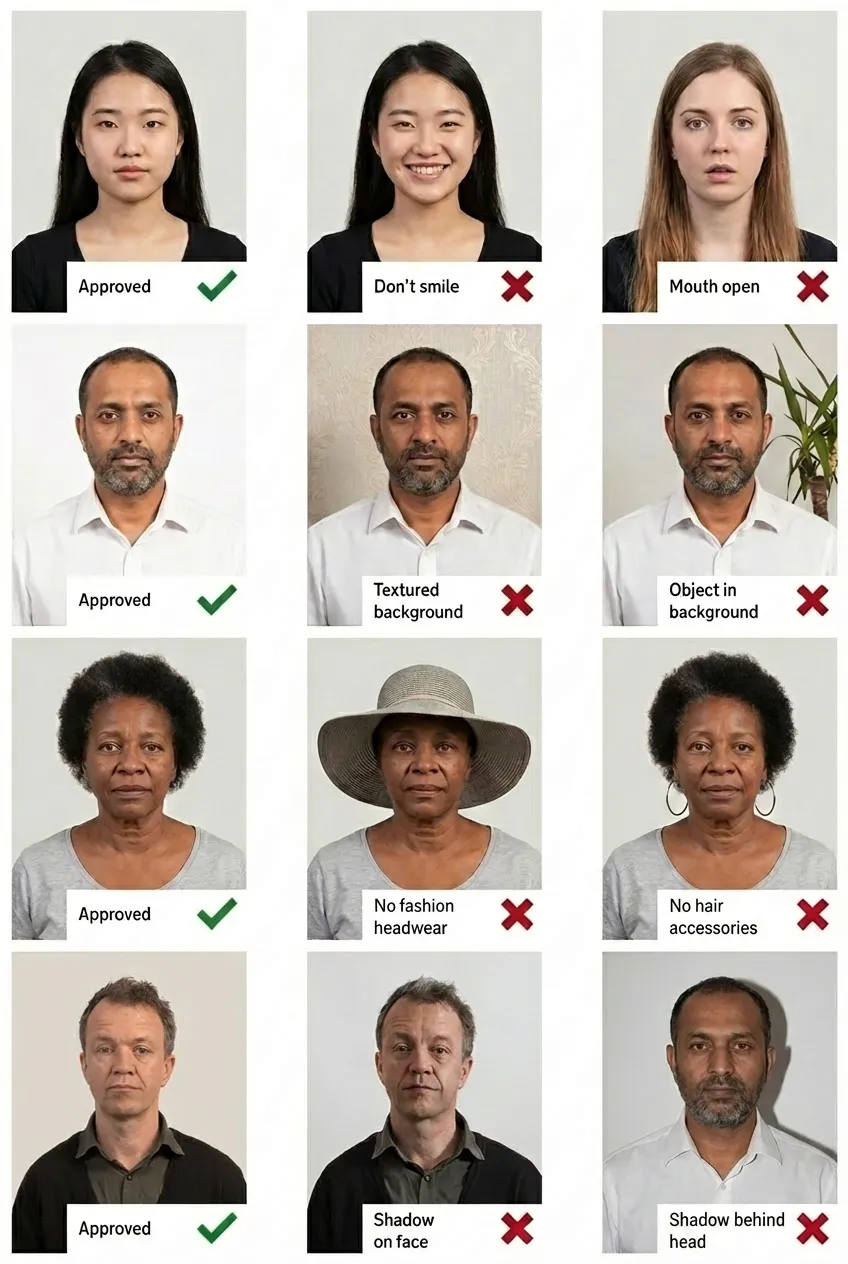
Comparison of acceptable and unacceptable photos
A ISIC Student Card photo must be 35 × 45 mm. At 600 DPI the print file is 827 × 1063 pixels, suitable for printing or digital upload.
Not recommended; no glare, no tinted lenses. If you wear them, make sure there is no glare on the lenses and your eyes are clearly visible.
No. Maintain a neutral facial expression with your mouth closed and both eyes open.
Yes! You can take your ISIC Student Card photo with any smartphone. Upload it to Passport Size Photo and our AI will automatically crop, resize, replace the background, and ensure it meets the requirements.
The background should be a plain white or light-colored background. No patterns, objects, shadows, or other people should be visible. Our tool can automatically replace your background if needed.
Use a photo taken within the last 6 months so the card still resembles you while it is valid.
No, hats and head coverings are not permitted unless worn for religious reasons. Even then, your full face must be visible from the bottom of your chin to the top of your forehead.
The photo is uploaded digitally during the online ISIC application on isic.org or through your local ISIC issuer. Our tool produces a correctly sized JPEG that is ready to upload.
Same size (35 × 45 mm) in other countries:
Popular photo requirements: